
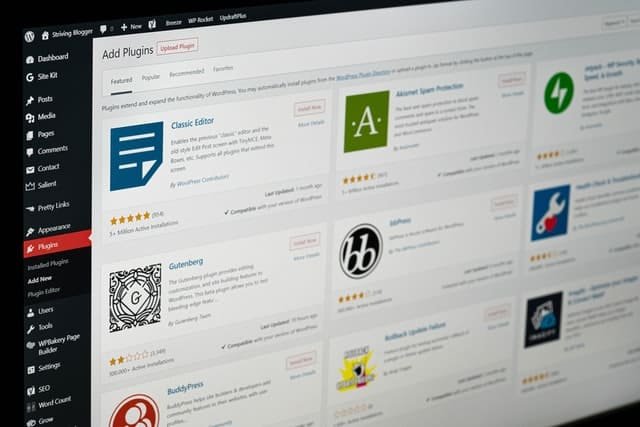
Building a successful WordPress site has never been more straightforward, largely thanks to the platform’s massive popularity and dedicated community. Because of this open ecosystem, you can find a plugin for virtually any feature or utility you might imagine. However, this abundance introduces a new challenge for site owners who find themselves spending more hours evaluating options than actually building their content. While sorting through free options is relatively painless, purchasing a subpar premium plugin or theme can quickly sting your budget. To save you from buyer’s remorse, we have compiled a curated list of reliable tools you will not regret adding to your toolkit.
WP Reset
To kick things off, WP Reset brings together a powerful combination of utilities that makes managing and testing your WordPress environment much simpler. Whether you are troubleshooting a staging site or cleaning up a database, these tools help you test, recover, and optimize your web pages without requiring any advanced coding background. Although marketed toward beginners who prefer visual dashboards, developers also appreciate features like template collections and automated database snapshots. These handy safety nets allow you to experiment freely during development without fearing irreversible mistakes or broken layouts. If you want to dig deeper, our guide on What is a Training Management System? Why is it so important? covers this well.
Beyond standard database resets, the plugin offers deep cleaning capabilities, cloud compatibility, a handy white label mode, and the robust Emergency Recovery Script. Functioning as a standalone PHP file, the emergency script acts as your ultimate safety net when standard logins fail or a rogue update triggers the dreaded white screen of death. By accessing this file directly from your browser, you can restore full functionality to your admin dashboard within seconds. Best of all, this utility remains completely free to use for routine maintenance and disaster recovery.
Coming Soon & Maintenance Mode
Proper pre-launch marketing is vital for any new venture, and this tool ensures your grand opening generates genuine excitement across your target audience. Instead of spending hours coding a custom splash page from scratch, you can deploy a professional coming soon template that collects visitor emails and builds anticipation. With access to a massive library of unique themes and royalty-free images, you can spin up a branded landing page in minutes. This setup also helps you get a head start on search engine indexing while keeping regular visitors informed during scheduled site updates.
WP Sticky
If you want an effortless way to improve user navigation and engagement, WP Sticky offers a fast solution for pinning important site elements. By configuring floating headers, call-to-action buttons, or promotional banners, you ensure essential links remain visible as visitors scroll down long pages. This technique removes friction for users who would otherwise have to scroll back to the top to find your main navigation menu. Using a visual picker interface, you can select any page element and make it sticky instantly without writing a single line of CSS. For more on this, our article on How to Choose the Right Lawyer for Your Legal Needs is a good next read.
WP 301 Redirects
Whenever you migrate domains, restructure URL slugs, or upgrade your security certificates from HTTP to HTTPS, maintaining clean redirection rules is essential. Utilizing a reliable tool like WP 301 Redirects prevents your hard-earned search engine rankings from vanishing into broken 404 error pages. The plugin automatically catches changed URLs and routes visitors to the correct destination while letting you manage custom redirect rules from a centralized dashboard. Keeping your link structure intact is just as important as fixing outlook errors or organizing digital files when running a smooth online operation.
Simple Author Box
Establishing creator credibility is paramount for content marketing success, making Simple Author Box a staple for multi-author blogs and editorial websites. The plugin allows you to append clean, responsive author profiles at the bottom of your posts with social media icons, gravatars, and short biographies. If your publication frequently collaborates with guest writers, assigning custom profile boxes to specific contributors takes only a few clicks. Recognizing individual contributors properly fosters a sense of community and transparency that keeps readers coming back for more.
In conclusion
Every option on this list serves a specific, vital function in modern web development, helping you bypass technical hurdles with minimal effort. From comprehensive site management utilities to targeted design enhancements, these plugins deliver a polished user experience for both administrators and site visitors. Taking the time to install the right foundational tools now will save you countless hours of troubleshooting down the road.
Frequently Asked Questions
Are all of these WordPress plugins free to use?
Most of the plugins on this list offer powerful free versions available directly in the WordPress repository, while some provide optional premium upgrades for advanced features.
Do I need coding experience to use WP Reset?
No coding knowledge is required. WP Reset features a user-friendly dashboard designed for beginners and non-technical site owners.
How do sticky elements affect mobile user experience?
When used sparingly, sticky navigation bars make mobile browsing much easier by keeping essential menus within thumb reach at all times.
Why are 301 redirects important for search engine optimization?
They pass link equity and authority from old URLs to new ones, preventing traffic drops and frustrating 404 errors after a site migration.
Can I display multiple authors on a single blog post?
Yes, plugins like Simple Author Box support multiple contributor credits and custom guest author profiles.